So, you did it. You either saved up and built a beast of a machine with multiple GPUs, or you’ve spun up a powerful instance in the cloud. You’ve got all this horsepower sitting there, ready to go. You kick off your model training, lean back, and… it’s still taking forever.
What gives?
It’s a feeling I know all too well. Having multiple GPUs is like having a team of brilliant chefs in your kitchen. If you only give them one pot and one recipe to work on together, they’re just going to get in each other’s way. You have to be the head chef and figure out how to get them all working at the same time.
That’s exactly what we’re talking about when we train models on multiple GPUs. You can’t just plug them in and expect things to magically speed up. You have to tell your code how to split up the work. Luckily, there are two main strategies for this, and we’re going to walk through them like we’re grabbing coffee.
So, What’s the Big Idea Behind Using Multiple GPUs?
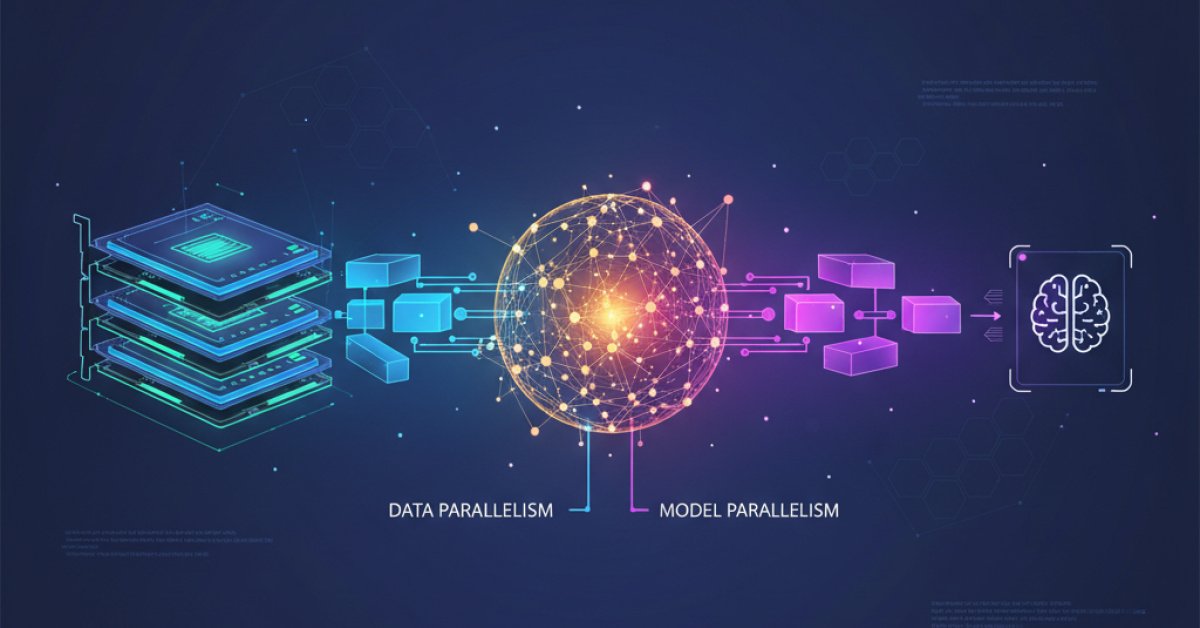
At its core, the strategy we're talking about is called data parallelism. The name sounds a bit technical, but the idea is beautifully simple.
Imagine you have a massive textbook you need your team to study (that’s your dataset). Instead of having them all read it cover-to-cover one after another, you tear the book into chapters and give one chapter to each person. They all study their own chapter at the same time.
That’s data parallelism. Here’s how it works with our AI models:
- Copy the Model: You take your brilliant neural network and make an identical copy of it on each one of your GPUs.
- Split the Data: You take your giant pile of training data and split it into smaller chunks, or "mini-batches."
- Distribute the Work: You send a different chunk of data to each GPU.
- Train in Parallel: Every GPU simultaneously works on its own little data chunk, figuring out how the model should adjust itself (this is called calculating the gradients).
- Sync Up: This is the crucial part. All the GPUs report their findings back. The results are combined (usually averaged) to get a single, smart update for the model.
- Update Everyone: That final, combined update is sent back to all the model copies on every GPU, so they’re all in sync for the next round.
By doing this over and over, you can chew through a massive dataset way faster than a single GPU ever could. Now, the magic is in how you handle that "Sync Up" step. And that brings us to our two different approaches.
Let's Talk About the First Method: DataParallel (DP)
If you’ve ever dabbled in PyTorch, you’ve probably seen nn.DataParallel. It’s often the first thing people try because it feels so easy. With just one line of code, you can wrap your model, and boom, you’re using multiple GPUs.
It feels like magic. But here’s the thing about magic: there’s always a trick.
DataParallel works by designating one of your GPUs as the "main" or "master" GPU (it’s almost always gpu:0). This GPU has a lot of responsibility.
Think of it like a project manager with a team of employees.
- The manager (main GPU) holds the master plan (the main model).
- It doles out tasks (data batches) to the employees (the other GPUs).
- The employees do their work and send their status reports (gradients) back to the manager.
- Here’s the bottleneck: The manager has to single-handedly collect all the reports, consolidate them, decide on the next step (calculate the final model update), and then send the new plan back out to every single employee.
While the other GPUs are waiting for their new instructions, they’re just sitting there, idle. The project manager is completely swamped, and the whole process slows down to the speed of that one overworked GPU.
This creates a couple of real-world problems:
- The Bottleneck: Training speed gets limited by how fast that one main GPU can gather, combine, and redistribute everything.
- Uneven Memory Usage: The main GPU has to hold its copy of the model, plus all the incoming results from every other GPU. This means it uses way more memory than the others. You’ll often run out of memory on your main GPU while the others are barely breaking a sweat. It’s super frustrating.
So, while DataParallel is a fantastic starting point and dead simple to implement, it’s often not the best tool for any serious, performance-critical work.
The Smarter, Faster Way: DistributedDataParallel (DDP)
This brings us to the pro-level choice: nn.DistributedDataParallel, or DDP.
I’ll be honest, setting up DDP for the first time feels a bit more involved. It’s not a single line of code. You have to set up a process for each GPU and handle some initialization. It feels like a little bit of homework. But I promise you, it is so worth it.
DDP was designed to fix all the problems we just talked about with DataParallel. It gets rid of the single, overworked project manager.
Instead, DDP creates a true team of peers. Each GPU runs its own independent process. They each have a copy of the model and get their own slice of the data, just like before. But here’s where it changes:
When it’s time to sync up, there’s no central GPU. Instead, the GPUs communicate directly with each other in a highly efficient, decentralized way (using a process called ring-allreduce).
Let's go back to our team analogy. Instead of sending reports to a manager, the whole team gets in a quick huddle. They each share what they found, and they all compute the final update together. Everyone does a little bit of the communication work. As soon as the huddle is over, they all have the updated plan and can get right back to work.
There’s no manager bottleneck. No one is sitting around waiting. It’s just… faster.
Here’s why DDP is the standard for serious AI training:
- It’s Blazing Fast: By eliminating the bottleneck, the communication between GPUs is much, much quicker. This means less idle time and faster training.
- Balanced Workload: Every GPU does the same amount of work and uses roughly the same amount of memory. No more one-GPU-to-rule-them-all nonsense.
- It Scales: This is the big one. DDP isn’t just for using multiple GPUs in one machine. It’s designed from the ground up to work across multiple machines connected by a network. This is how massive models are trained on huge clusters of computers. DataParallel simply can’t do this.
Okay, So Which One Is Right for You?
This is where the rubber meets the road. Now that you know the difference, making the choice is actually pretty straightforward.
You might want to stick with the simpler DataParallel (DP) if:
- You’re just prototyping or learning, and you want the absolute quickest way to test an idea on a couple of GPUs.
- You’re working in an environment like a Jupyter notebook where launching distributed processes is a bit of a pain.
- Your model is relatively small, and the performance hit from the bottleneck isn't a dealbreaker for you.
You should absolutely invest the time in DistributedDataParallel (DDP) if:
- Performance is your main goal. You want to train your model as fast as humanly possible.
- You’re working with a large model where the memory imbalance of DP would cause you to run out of VRAM.
- You ever think you might need to scale up to more than one machine.
- Honestly, for any project you’re taking seriously, DDP is the way to go. It's the industry standard for a reason.
Taking that little bit of extra time to learn how to set up DDP is one of the best investments you can make in your deep learning workflow. It might feel a bit clunky the first time, but once you have a template, you'll use it for everything.
You’ve got all that incredible hardware at your fingertips. Now you know how to properly unleash it. Happy training