Picture this: an AI assistant that doesn't just answer your questions, but actually does things for you. It could edit a video, manage a complex spreadsheet, or navigate your company's clunky internal software, all by just watching you do it once. This isn't science fiction; it's the promise of Computer Use Agents (CUAs), and it's one of the most exciting frontiers in AI today.
But there's a dirty secret behind this futuristic vision. Training these agents is an absolute nightmare. The biggest hurdle is what we call the "data bottleneck." To teach an AI to use a computer, you need to show it thousands, if not millions, of examples. The internet is flooded with a potential goldmine of this data—countless hours of YouTube tutorials and screencasts showing humans performing complex digital tasks. The problem? Turning that raw video into something an AI can actually learn from is painstakingly slow and expensive.
Researchers at Google Cloud and DeepMind just unveiled a new framework that might have finally cracked this problem. It’s called Watch & Learn (W&L), and it’s a brilliantly simple approach to a complex challenge. Instead of relying on costly human annotators or brittle automated systems, W&L teaches AI to use computers by, well, watching and learning—and it does so automatically, scalably, and with impressive results.
The AI Training Paradox: A Mountain of Video, A Desert of Data
So, why has this been so hard? Let's break down the core challenge. An AI doesn't see a video the way we do. It just sees a sequence of pixel grids. To make it useful for training, you need to convert a video into an "annotated trajectory"—a structured log of what's happening.
This means for every step, you need to record:
- The task description (e.g., "Change the background color to blue").
- A screenshot of the screen before the action.
- The specific action taken (e.g., "Click on the color palette at coordinates X, Y").
- A screenshot of the screen after the action.
Doing this manually for a single 10-minute video is tedious. Doing it for thousands of videos to create a robust dataset is prohibitively expensive.
Of course, people have tried to automate this. The first approach was to use large multimodal models to "watch" the video and guess the actions. The results were often a mess, with low precision and faulty examples that would teach the AI all the wrong habits. Another strategy involved "self-play" agents that would autonomously click around interfaces to collect data. While this works, they tend to generate very simple, repetitive examples that don't capture the complexity of how real humans solve problems. As the Google researchers put it, these methods are often "misaligned with human intent."
A New Perspective: Introducing Watch & Learn
The Watch & Learn framework sidesteps these issues by completely reframing the problem. Instead of trying to analyze a whole complex workflow, it focuses on a much simpler question.
It uses what’s called an "inverse dynamics objective." That sounds technical, but the idea is incredibly intuitive. Imagine you see two photos. In the first, a coffee mug is full on a table. In the second, the mug is empty. The inverse dynamics task is to predict the action that caused the change: "someone drank the coffee."
W&L applies this exact logic to computer interfaces. It looks at two consecutive frames from a video and asks, "What single action—a click, a scroll, a key press—connects frame A to frame B?" This formulation is easier for an AI to learn, less prone to errors, and generalizes remarkably well across different applications.
The entire framework is a clever three-stage pipeline designed to turn a firehose of raw video into a curated library of high-quality AI training fuel.
How Google Built the Ultimate Video-to-Action Translator
Let's pull back the curtain on how Watch & Learn actually works. It’s not one single model, but a well-orchestrated process.
Step 1: Building the "Action Detective"
The heart of the system is a specialized model called the Inverse Dynamics Model (IDM). To build it, the researchers first needed a solid dataset to teach the IDM what computer actions look like. They generated a massive corpus of 500,000 examples by having automated agents interact with live websites, recording every "before" screen, "action," and "after" screen. They combined this with 132,000 human-annotated examples from existing open datasets.
With this data, they trained a relatively small transformer model to do one thing and do it exceptionally well: predict the action that occurred between two images. The result? Their specialized IDM actually outperformed huge, off-the-shelf foundation models at this specific task. It’s a perfect example of using the right tool for the job.
Step 2: Unleashing the IDM on the Internet's Video Library
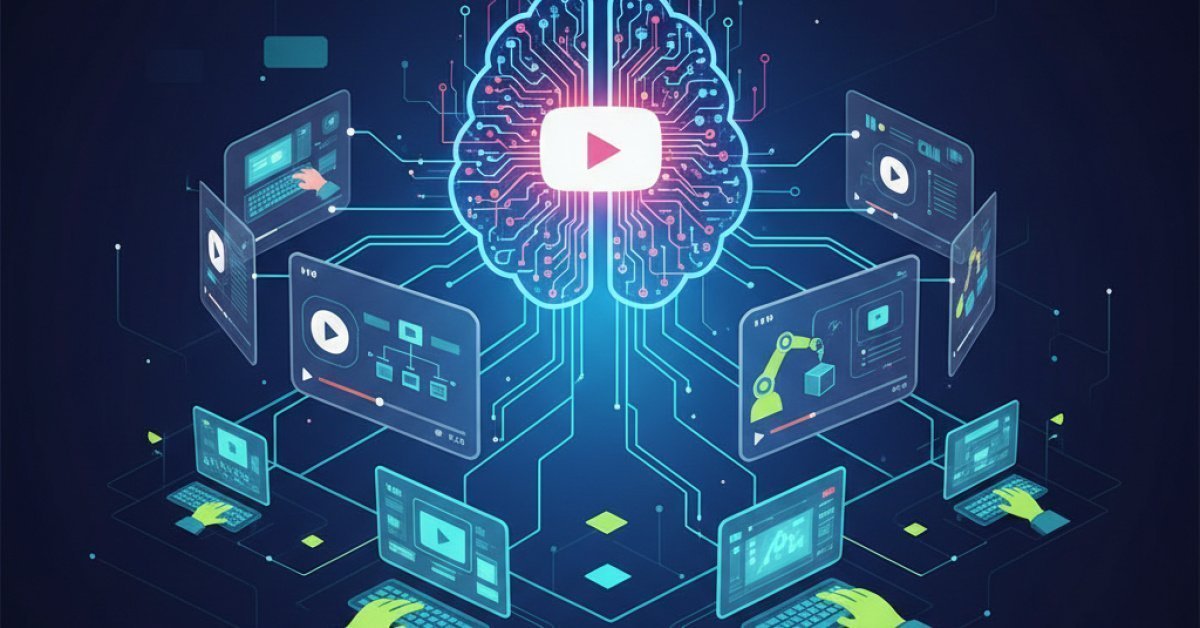
With their highly-trained "action detective" ready, the next step was to point it at the real world. The team built a pipeline that pulls videos from platforms like YouTube, breaks them down into individual frames, and feeds consecutive pairs of frames into the IDM.
The IDM then works its magic, analyzing the pixel-level changes between frames to determine the most likely action that took place. A mouse cursor disappears and a menu appears? That was a click. The content on the screen shifts upward? That was a scroll. The IDM annotates these actions, packaging them neatly into the structured trajectories the AI agents need. Using this method, they automatically generated a brand-new dataset of over 53,000 high-quality trajectories without a single human annotator in sight.
Step 3: Two Paths to a Smarter AI Agent
This is where things get really interesting. The data generated by W&L isn't just for one type of training; it's flexible enough to be used in two powerful ways.
-
Fine-Tuning (The Textbook Approach): You can use the massive 53,000-example dataset to fine-tune existing open-source models. This is like giving an AI a comprehensive textbook on how to use a computer. The researchers did this with models like UI-TARS-1.5 (an agent specifically designed for computer use) and Qwen 2.5-VL (a general multimodal model), directly teaching them new skills from the video data.
-
In-Context Learning (The "Cheat Sheet" Approach): You can also use the trajectories as on-the-fly examples for large, general-purpose agents. This is like giving an AI a small "cheat sheet" with 3-5 relevant examples right inside the prompt before it attempts a task. To make these examples even more potent, the team used Gemini 2.5 Flash to add an extra layer of reasoning annotations, explaining why an action was taken. This method allows you to guide powerful models like Gemini, GPT-4o, and Claude Sonnet to perform bespoke tasks without any costly retraining.
This dual-role capability is a game-changer. It means you can improve everything from small, specialized open-source agents to the most powerful frontier models using the same scalable data generation pipeline.
So, Does It Actually Work? The Results Are In
A clever idea is one thing, but performance is what matters. The Google team put W&L to the test on OSWorld, a tough benchmark that evaluates agents on real-world tasks across desktop environments, covering everything from productivity and design to programming.
The results speak for themselves.
- For fine-tuned open-source models, the data from W&L provided a performance boost of up to 11 points on the benchmark. That's a significant leap in capability.
- For general-purpose models using in-context learning, the W&L examples led to an improvement of up to 3 points. While a smaller number, this is still a meaningful gain achieved at inference time with zero model training.
The most critical takeaway, however, is that these gains were achieved with zero manual annotation. This proves that the vast, untapped library of human workflows on the web can be a practical and scalable foundation for building the next generation of CUAs.
Why This Unlocks the Future of AI Assistants
This isn't just an incremental research paper; it's a fundamental shift in how we can build capable AI agents. The implications are huge, especially for real-world applications.
For enterprises, this is a potential goldmine. Imagine turning your entire internal library of Zoom training sessions and screen recordings into a custom-trained CUA. You could create an AI assistant that perfectly understands your company's proprietary software and unique workflows, ready to onboard new employees or automate repetitive internal processes. All you have to do is record a video of the task, and the IDM can handle the rest.
For developers and the open-source community, it democratizes access to high-quality training data, leveling the playing field and accelerating innovation. As frontier models continue to get smarter and cheaper, this cycle of generating data from videos will only become more powerful and efficient.
The dream of a true digital assistant—one that can take on complex, multi-step tasks on our behalf—has always been just over the horizon, held back by the immense challenge of data collection. With Watch & Learn, Google may have just removed one of the biggest roadblocks, bringing us a significant step closer to a future where our computers truly work for us.