Ever have a tool in your toolbox that’s an absolute lifesaver for one specific job, but completely useless for another? You know, like using a sledgehammer to hang a picture frame.
That’s kind of what it feels like when you use standard Principal Component Analysis (PCA) on the wrong kind of data.
PCA is a rockstar when your data has nice, straight-line relationships. It’s fantastic at boiling down dozens of features into just a few essential ones, cutting through the noise to find the most important patterns. But the moment you throw it a curveball—literally, a dataset with a curved or nonlinear shape—it just falls apart. The sledgehammer meets the thumbtack.
We’re going to look at exactly this scenario. We'll watch standard PCA try, and fail, to make sense of a classic tricky dataset. Then, I'll introduce you to its clever cousin, Kernel PCA, and show you the simple "trick" it uses to succeed where the original couldn't.
First, a Quick Refresher: What's PCA Trying to Do?
Before we see it fail, let's remember what PCA is good at.
Imagine you have a scatter plot of data points that looks like a long, skinny oval. PCA’s job is to find the direction of that oval. It draws a line straight through the longest part of the data cloud—this is "Principal Component 1." It captures the most variance, the most information. Then, it draws a second line, perpendicular to the first, to capture the next most information.
It’s basically a technique for rotating your data to find the most interesting angles. But notice the key word here: line. PCA only thinks in straight lines. It can squish, stretch, and rotate your data, but it can’t bend it. And that’s its Achilles' heel.
Let's Watch PCA Stumble
To see what I mean, we don't need a complex, real-world dataset. We can create a perfect little "trap" for PCA using a dataset lovingly known as the "two moons."
It looks exactly like it sounds: two interlocking crescent moon shapes, one for each class. It's a classic example of a nonlinear pattern. A human can see the two groups instantly, but there’s no way to draw a single straight line to separate them.
Here’s what it looks like. We can whip it up in a couple of lines of code with scikit-learn.
import matplotlib.pyplot as plt
from sklearn.datasets import make_moons

# Let's create our tricky dataset
X, y = make_moons(n_samples=1000, noise=0.02, random_state=123)

# And take a look at it
plt.scatter(X[:, 0], X[:, 1], c=y)
plt.show()
See? Two distinct groups, clear as day. But they're curved.
Now, let's naively throw PCA at this and ask it to find the best "components" to separate the data.
from sklearn.decomposition import PCA

# Initialize PCA, asking for 2 components
pca = PCA(n_components=2)
X_pca = pca.fit_transform(X)

# Let's see what PCA came up with
plt.title("After Regular PCA")
plt.scatter(X_pca[:, 0], X_pca[:, 1], c=y)
plt.xlabel("Component 1")
plt.ylabel("Component 2")
plt.show()
What happened? Pretty much nothing.
The data got rotated a bit, maybe stretched, but the two moons are still hopelessly tangled. PCA tried its best to draw straight lines through the data cloud, but because the underlying pattern is curved, its straight-line-finding tools were useless. It couldn't "unfold" the moons.
This is the exact moment where you might throw your hands up in frustration. But don't worry, there's a wonderfully elegant solution.
The Hero Arrives: Kernel PCA and the "Kernel Trick"
So, how do we get an algorithm that only sees in straight lines to understand a curve? We use a bit of mathematical magic.
This is where Kernel PCA comes in.
Think of it like this. Imagine you have a bunch of red and blue marbles mixed together on a flat tablecloth. You can't slide a ruler between them to separate the colors. They're all jumbled up.
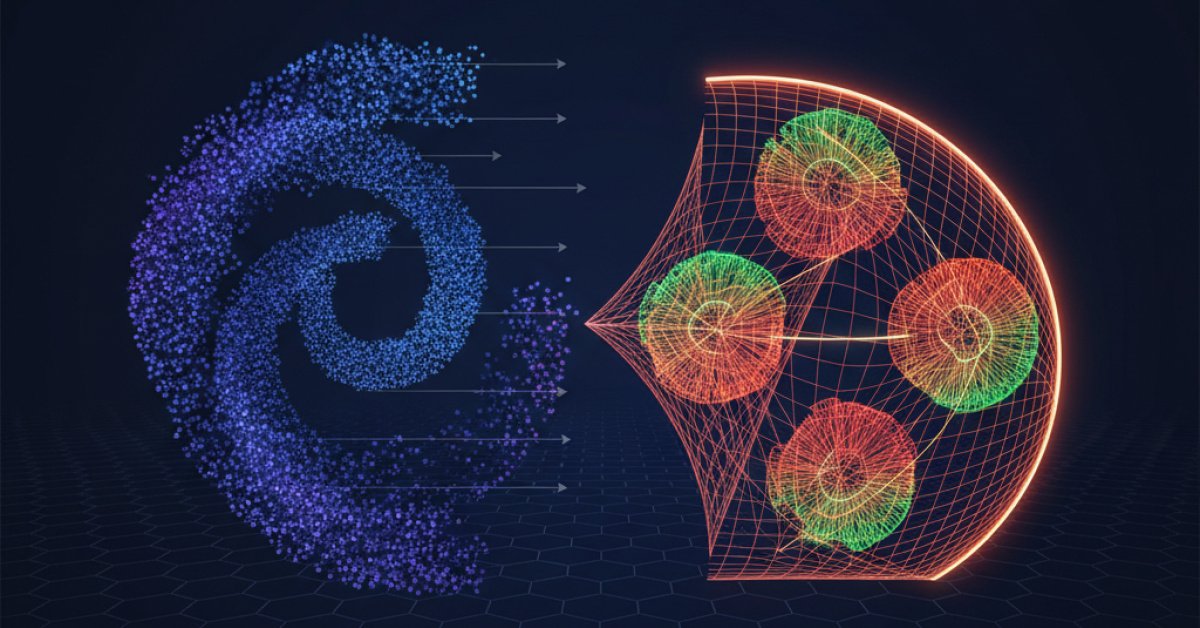
But what if you could grab the tablecloth from the center and yank it upwards, launching all the marbles into the air? Suddenly, viewed from the side, the red marbles might be flying higher than the blue ones. From this new, third-dimensional perspective, you could easily slice a sheet of paper between them.
That, in a nutshell, is the "kernel trick."
Kernel PCA doesn’t actually create a third dimension. It uses a mathematical function—a "kernel"—to calculate the relationships between points as if they were in a higher-dimensional space. It lets us get the benefit of that new, separating perspective without ever paying the computational cost of actually moving the data there.
It’s a way to project the data into a view where the tangled, nonlinear mess suddenly becomes a simple, linearly separable problem.
Let's Untangle Those Moons
Now, let's apply Kernel PCA to our poor, tangled moons dataset. We'll use a common kernel called the RBF (Radial Basis Function) kernel. You don't need to worry about the math behind it right now—just think of it as the function that gives us that powerful new perspective.
from sklearn.decomposition import KernelPCA

# This time, we use KernelPCA with the 'rbf' kernel
kpca = KernelPCA(kernel='rbf', gamma=15)
X_kpca = kpca.fit_transform(X)

# Plot the results
plt.title("After Kernel PCA")
plt.scatter(X_kpca[:, 0], X_kpca[:, 1], c=y)
plt.show()
Look at that! It's almost magical.
The two moons have been completely untangled. They are now perfectly separated clusters. A simple line could now easily divide the purple dots from the yellow ones.
By applying the kernel trick first, Kernel PCA was able to "see" the curved structure. It found a new set of axes that respected the data's true shape, allowing it to unfold the crescents into two distinct blobs. Now, any downstream task, like clustering or classification, would be ridiculously easy.
Okay, But What's the Catch?
This seems too good to be true, right? And in a way, you're right. Kernel PCA is incredibly powerful, but it's not a free lunch. There are a few trade-offs to keep in mind.
-
It's computationally expensive. Standard PCA is pretty fast. But Kernel PCA has to calculate the relationship between every single pair of points in your dataset. This means it gets very slow and memory-hungry as your dataset grows. It’s great for a few thousand data points, but it might struggle with a few million.
-
You have to choose a kernel and its parameters. I just picked
'rbf'andgamma=15out of a hat, but in the real world, you'd need to experiment to find the right kernel (polynomial, sigmoid, etc.) and tune its parameters to get the best results. This adds an extra layer of complexity. -
The new components are hard to interpret. With standard PCA, you can look at the principal components and see how they relate to your original features (e.g., "Component 1 is a mix of age and income"). With Kernel PCA, the components exist in that abstract, high-dimensional space. They don't have a direct, intuitive link back to your original columns, which can make explaining your results a bit tougher.
So, it's all about picking the right tool for the job. If your data looks roughly linear, stick with the speed and simplicity of standard PCA. But if you suspect there are weird curves, folds, or spirals hiding in your data, Kernel PCA is an amazing technique to have in your back pocket. It’s the perfect tool for untangling a mess.